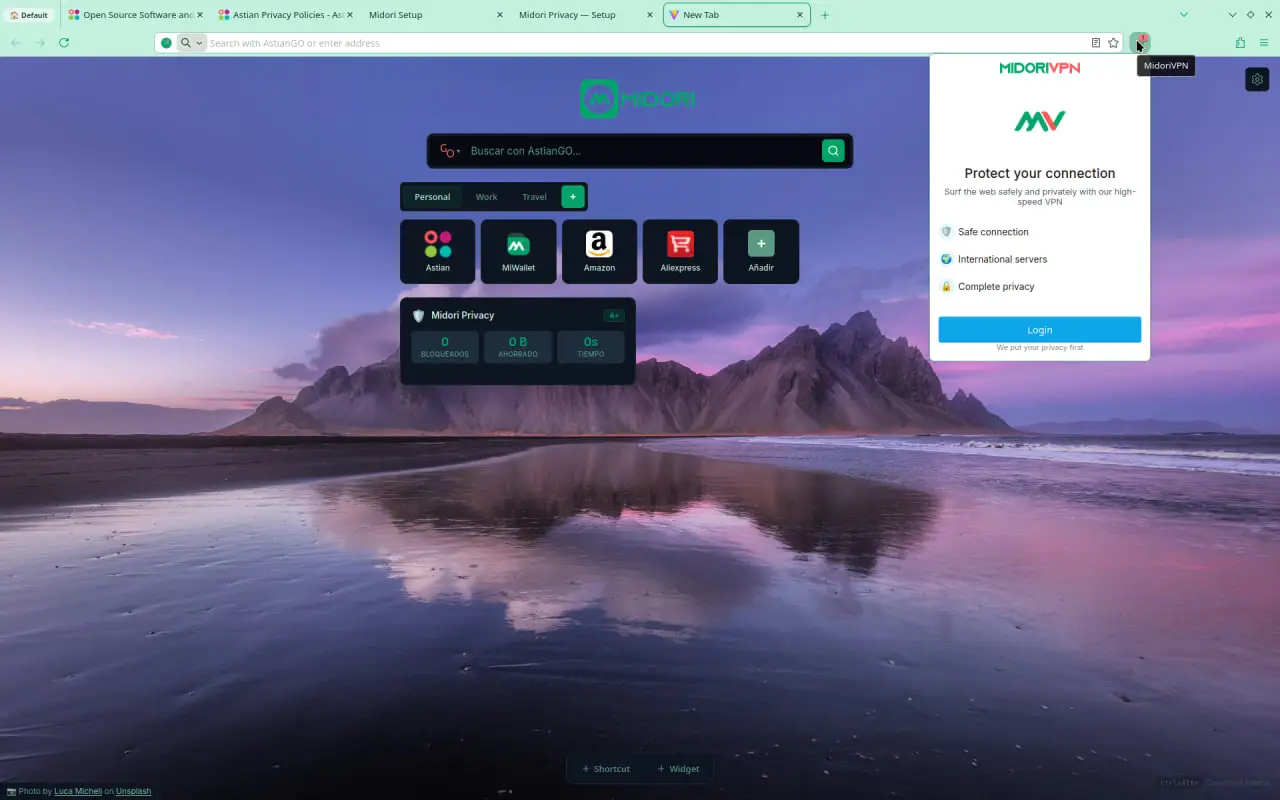
Midori Browser 11.7 comes with many new features, including a real-time translation system enabled via “about:translations”, support for the GTK Emoji selector for Linux users, improvements to the integrated PDF reader (or rather, integrated PDF editor), integration of the MidoriVPN service, and much more.
What’s New in Midori 11.7?
Midori 11.7 include Browsing VPN.
For some time we have been studying how to offer a secure, fast, private VPN without privacy issues, and today the day has arrived where we release MidoriVPN, It is a completely open-source, secure, extremely lightweight and fast VPN service that allows users to securely connect to a VPN network using the Wireguard protocol. and connect to any server with just a couple of clicks.
Improvements in AstianGO
AstianGO is our ad-free and tracker-free search engine, now with autocomplete and many more options from the New Tab.
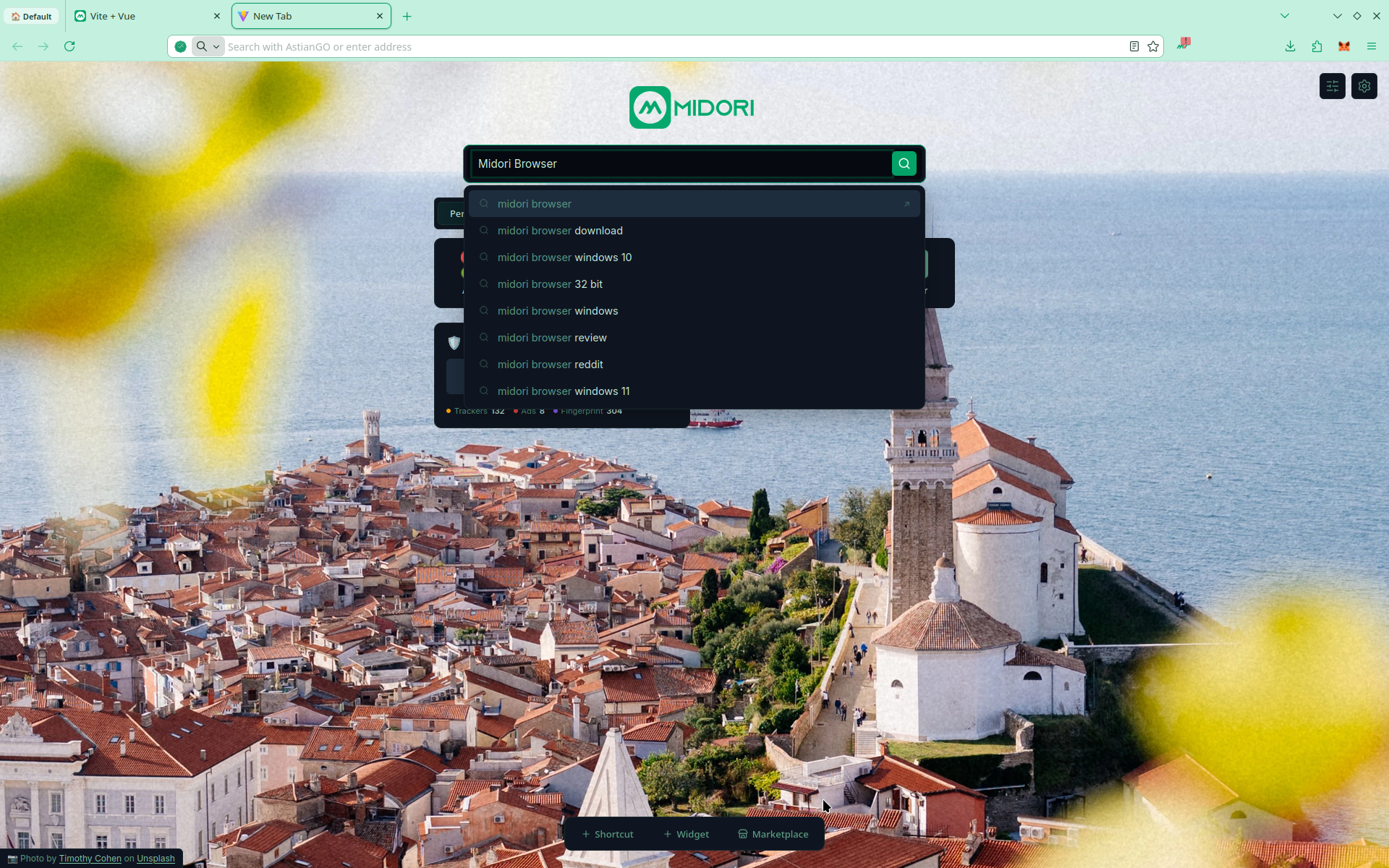
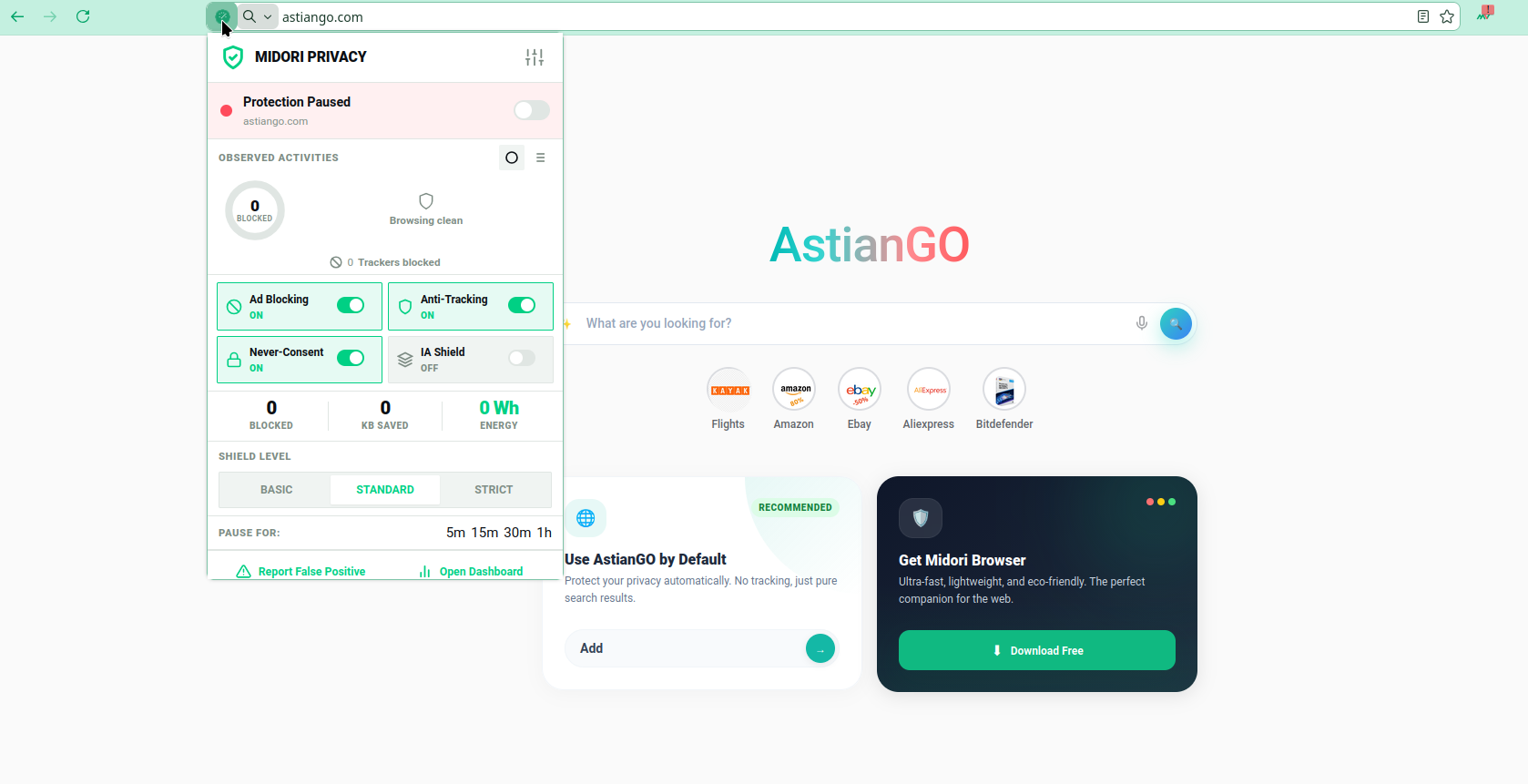
Midori 11.7 Improvements in Midori Privacy Protect
We know that the web currently operates using trackers, and many sites require you to disable blockers to function correctly. That’s why we’ve added protection levels so users can customize their experience; strict mode is very powerful.
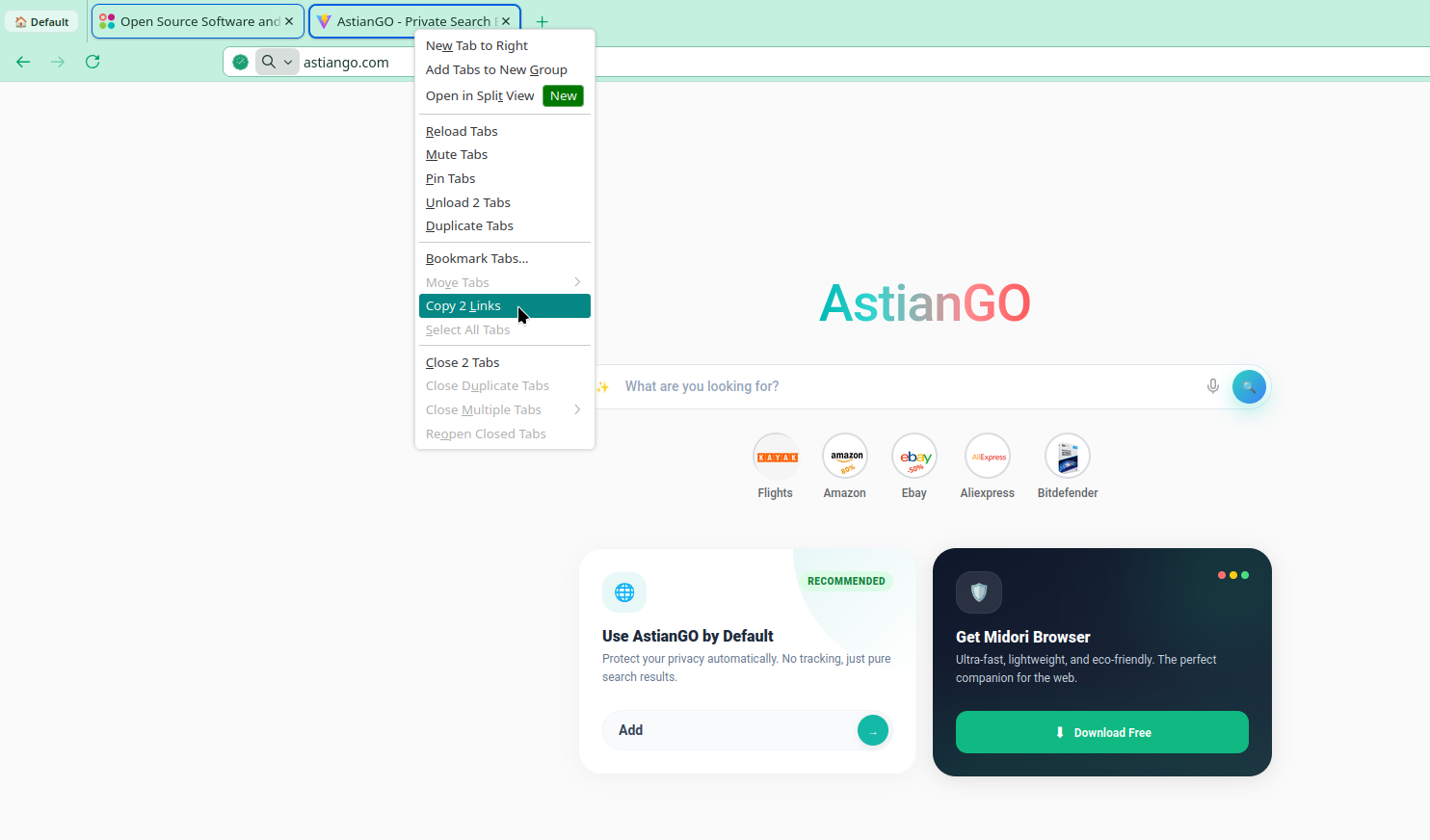
Tab management
Now users can share multiple tabs at once Select the ones you want, right-click, and choose “Copy X links.” The result includes the title of each page along with the URL, making it easy to paste them anywhere without further hassle.
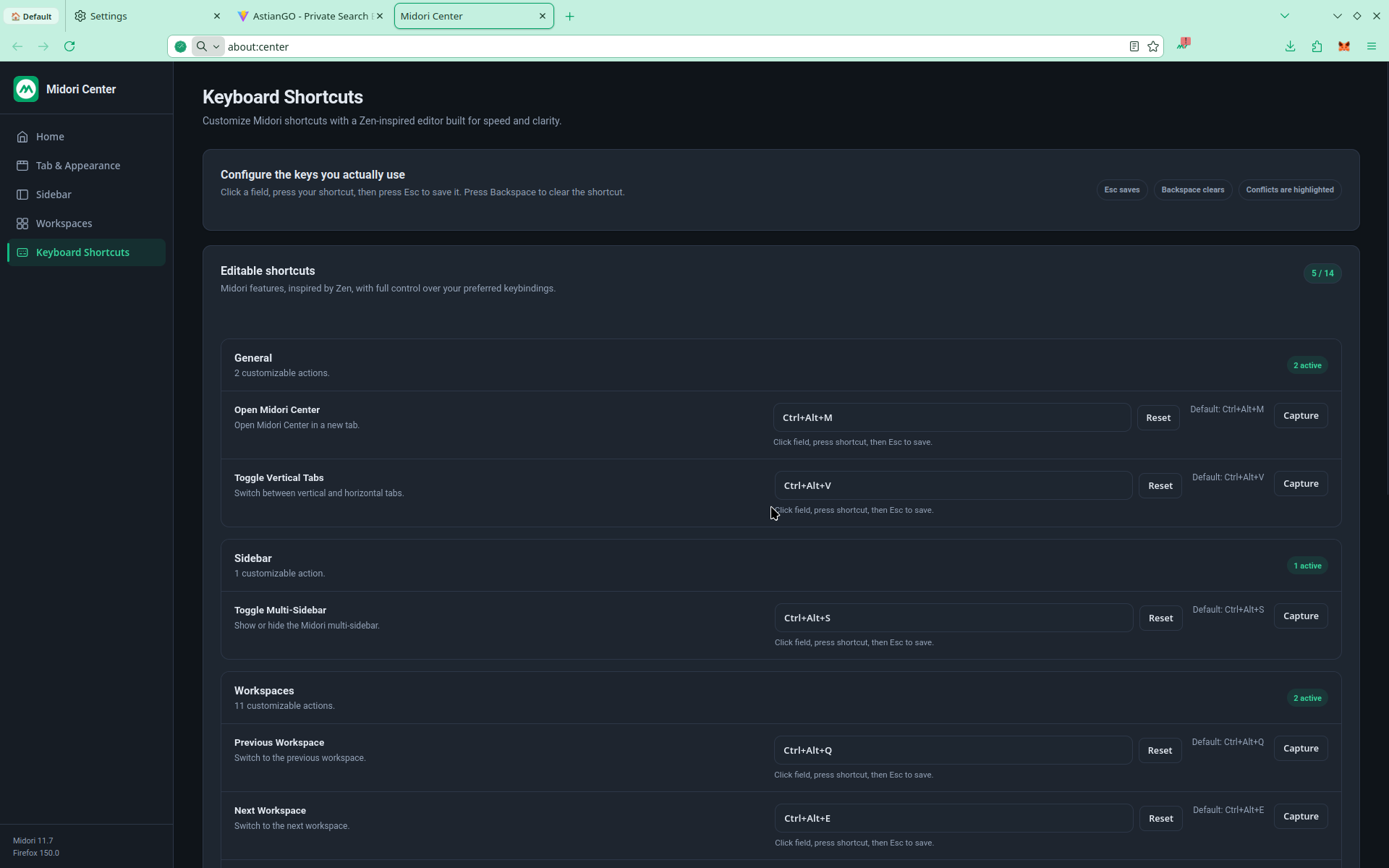
Added Keyboard Shortcuts
In the Midori about:center settings center, we have added a powerful Keyboard Shortcuts feature where users can customize more than 14 shortcuts to optimize keyboard navigation.
All this and much more in Midori 11.7. We invite you to explore all the options and give us your feedback in our community or in our repository.